Exercise 4. Analysing a vendor STEP part and redrawing it
| Item | Detail |
|---|---|
| Input files | 04-tt_fractal_vise_assembly.step (a vendor vise assembly STEP, 80 parts of 20 types. You redraw the clamp jaw 2B2 — 44 faces, including BSpline transition faces) |
| Time | 5 min (2 s to open the STEP, 8 s to rebuild, 1 s to compare) |
| What you end up with | A new document jaw_2B2_tools with one Body (12 features, all 12 sketches at DoF 0, a parameter sheet) |
| What you learn | Reading holes and pitches out of a STEP, the procedure for turning a history-less lump into a model with features, and boolean verification against the original |
A vendor STEP is a lump with no features, so you cannot change its dimensions. This exercise drives the whole cycle — read, measure, restack as features, compare against the original — by talking. In the original session the volume difference came out at +0.035 mm³ (0.0004 %), a verdict of identical.
Original and finished
Section titled “Original and finished”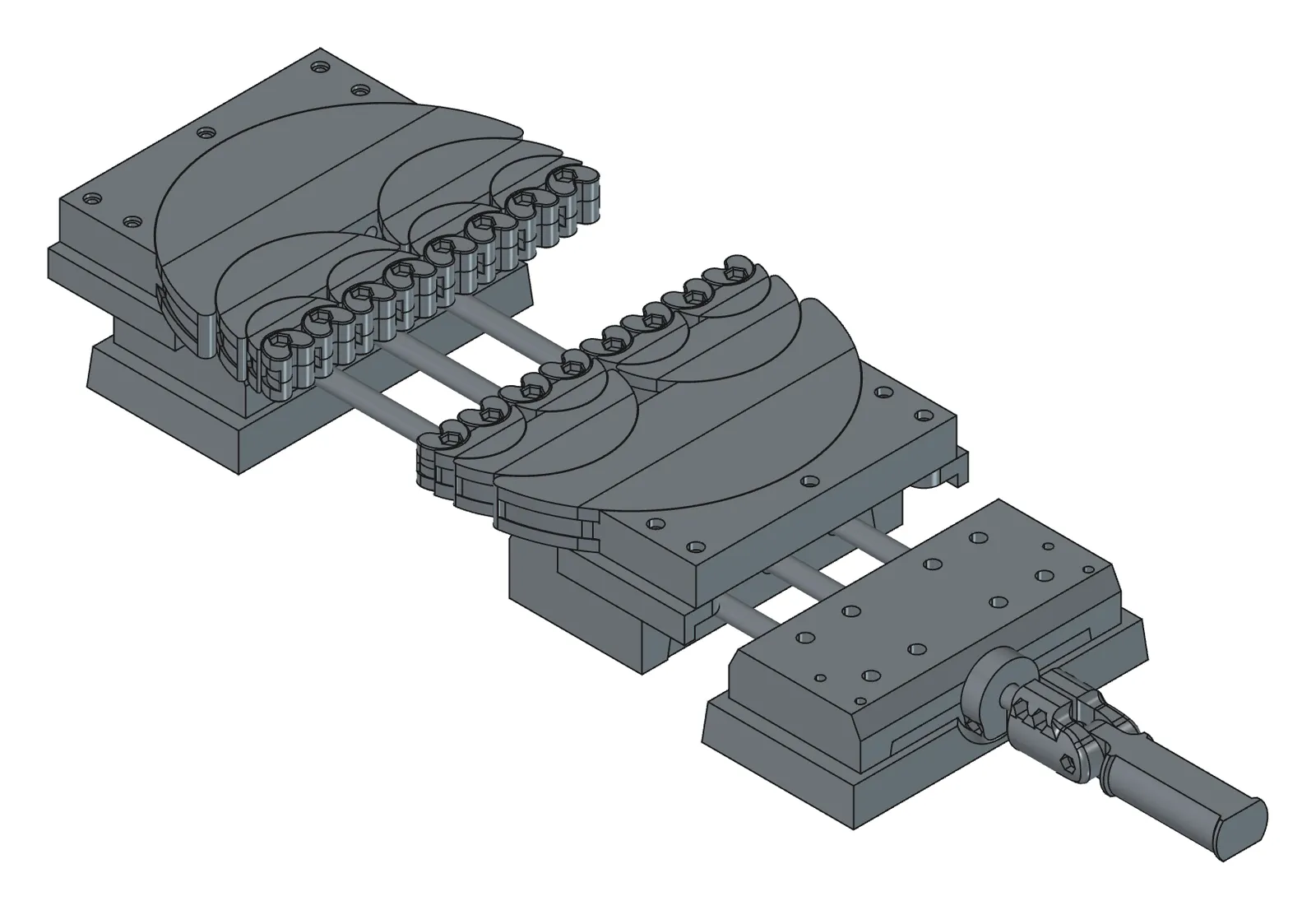
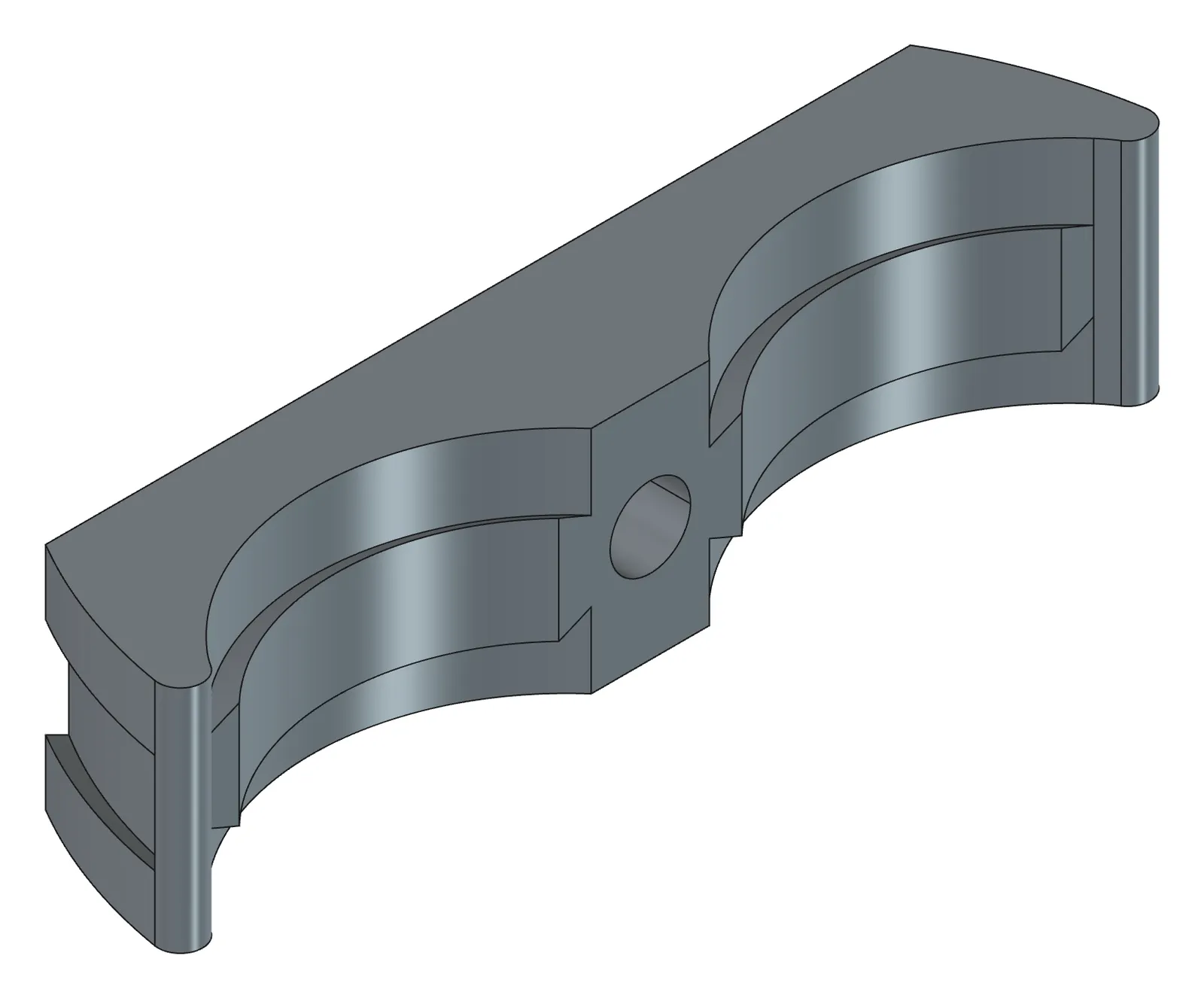
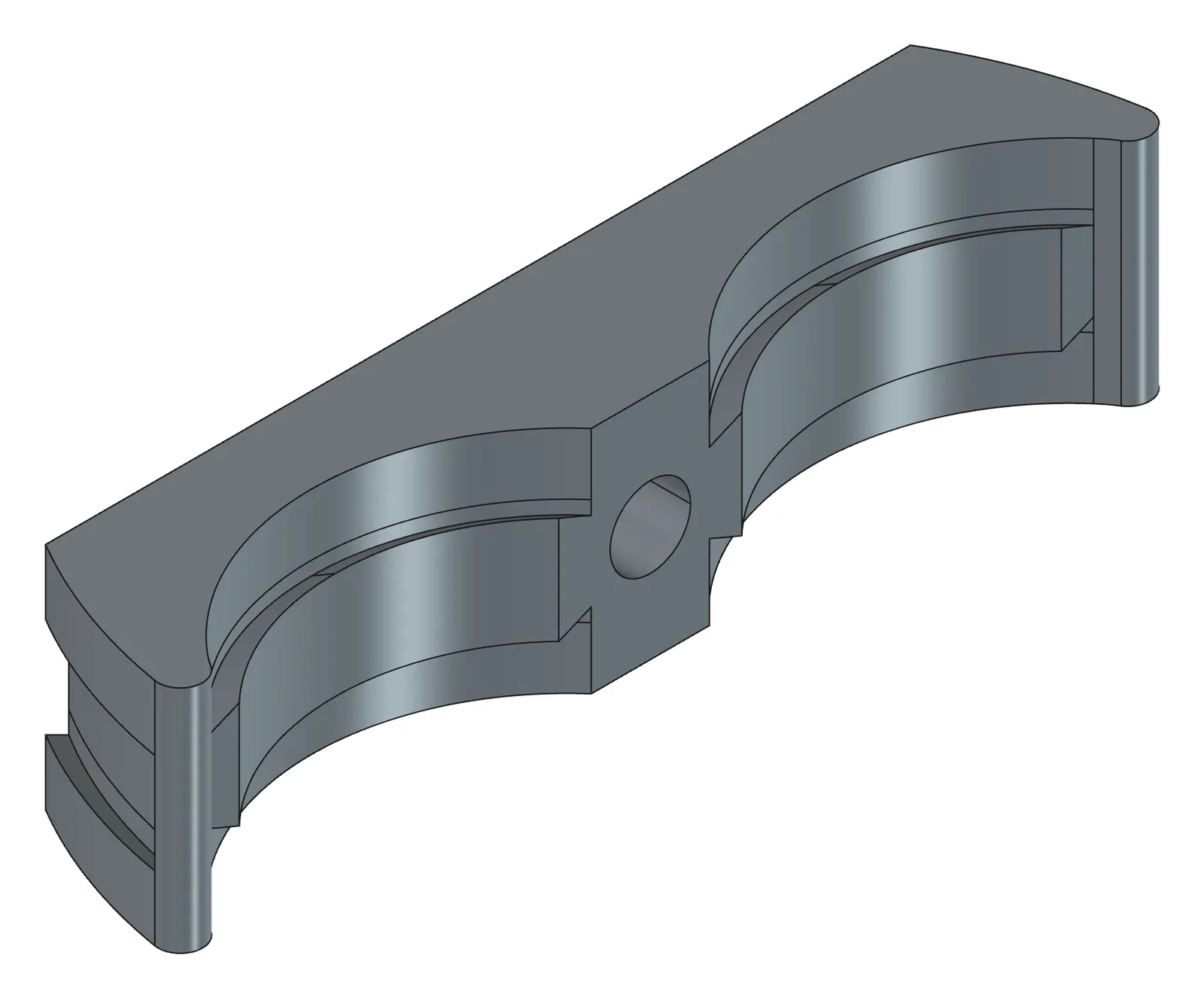
| File | Description | Size | |
|---|---|---|---|
| Original | 04-tt_fractal_vise_assembly.step | Assembly STEP | 3.1 MB |
| Original | 04-jaw_2B2-original.step | Just 2B2, extracted | 75 KB |
| Finished | 04-jaw_2B2-done.FCStd | 2B2 redrawn (includes the hidden original copy Ref_2B2) | 398 KB |
| Finished | 04-jaw_2B2-done.step | STEP | 98 KB |
| Finished | 04-assembly-done.FCStd | The 80-part assembly converted to Bodies + grounded joints | 4.5 MB |
- Launch FreeCAD 1.1.3. You want
[CAD X-ray] 서버 시작in the Report view. - Put the STEP at
C:\cad\04-tt_fractal_vise_assembly.step. - In PowerShell, move to
C:\cadand openclaude. - Do not open a document first. The AI creates one when it opens the STEP.
1. Open the STEP and get the analysis table first
Section titled “1. Open the STEP and get the analysis table first”Open C:\cad\04-tt_fractal_vise_assembly.step and analyse the part labelled 2B2: structure and validity, holes (diameter, depth, through, counterbores, chamfers, pitch), face classification and whether it can be rebuilt, band boundary z values, and a table of datum points (measured from vertices) versus design values.What the AI does — four things in turn. ① Opens the STEP into a new document and reads the part hierarchy. It is an assembly, so 80 parts come in; the internal name of an object imported from STEP is Part__Feature… and the original name is in the Label. ② Groups concave cylindrical faces by axis and centre to count holes, attaches counterbores and chamfers on the same axis to their hole, and matches diameters against the ISO metric thread table. ③ Judges the identity of each face; BSpline faces get sampled and fitted against cylinders and cones, so “fake free-form” faces get filtered out. ④ Reads the band, groove and lip z boundaries from a histogram of vertex coordinates, keeps datum points (X0=20.343193, Y0=45.052724, Z0=53.679659) as measured, and tidies design values such as thickness 12 and height 16 to integers.
How to check — 80 parts in the tree and no errors in the Report view. Proceed if the verdict is prismatic or mixed (with free_form, go the BaseFeature route: lay the original down and stack features on top). Three holes (one Ø3.4 plus two Ø2.2), and a table that clearly separates measured values (six decimals) from design values (integers). From here on, put “2B2” in every sentence so the target is unambiguous.
2. Have it redraw the part
Section titled “2. Have it redraw the part”Redraw 2B2 as a Body in a new document jaw_2B2. Every dimension in Params, radii and datum points exactly as measured. Verify after each feature and stop and tell me if one fails.What the AI does — builds the 12 features as a single JSON list and stacks them in order. The three bands are traced by cutting the original section directly into a sketch (lower → middle → upper, overlapping), so the coordinates never travel through the conversation. The barrel dovetail groove is a revolved cut, and the ear the groove removed is re-padded from what lies outside the groove radius. Two revolved cuts make the seat-lip transition wedges, then the front ear is restored. Holes use the step 1 values as Pockets (Ø3.4 through, two Ø2.2 5 deep, counterbore Ø5.6 depth 4) with a 0.5 chamfer at the mouth. It recomputes after each feature and stops at the one that fails.
How to check — all 12 features under the Body should be in black text, and the Params sheet should hold x_back, thickness, barrel_r, groove_r, hole_d, cbore_d and the rest. If it stops partway, the AI gives you the name and status string of the feature it stopped at, so you only fix that one.
3. Compare against the original and save
Section titled “3. Compare against the original and save”Compare it against the original 2B2: volume difference and any missing or extra fragments. If identical, show me an iso view and save to C:\cad\jaw_2B2.FCStd.What the AI does — takes a fuzzy boolean difference between the two shapes and gives you the volume difference and the bboxes of the missing and extra fragments. The verdict is identical (under 0.001 %), match (under 0.1 %) or different.
How to check — identical or match is a success. With different, the fragment bboxes are exactly where you went wrong; ask it to fix only the feature at that location.
Checking your result
Section titled “Checking your result”| Criterion | Value |
|---|---|
| Features | 12 (5 Pads, 3 Grooves, 3 Pockets, 1 Chamfer), all Valid |
| Sketch DoF | all 12 at 0 |
| Volume difference | +0.035 mm³ (0.0004 %) |
| Comparison verdict | identical |
| Time (rebuild tool calls) | about 2.0 s (including 5 section traces), 0.78 s to compare |
When it doesn’t work
Section titled “When it doesn’t work”- The verdict is different and the fragments are near the barrel groove — you rounded the groove radius. Say “put groove_r back to the measured 33.620391 and redo it”.
- A Pad fails saying it is separated and cannot go in one Body — the band Pads do not overlap. Ask for each band’s height to be extended into its neighbour by the transition height.
- It says the free-form area is large — go hybrid: lay the original down as a BaseFeature and stack only the holes and grooves as features. Say “keep the original as a BaseFeature and make only the holes parametric”.
- The comparison reports boolean_failed — overlapping faces defeated the boolean. Judge by volume and area difference alone in that case.
- You received an STL or OBJ — with no faces and no solid, this exercise’s hole and comparison methods do not work. Go to Exercise 5 (redrawing an STL).
Going further
Section titled “Going further”- Change
Params.hole_dto 4.5 (M4 clearance) and recompute, and see whether the counterbore and chamfer follow. - Run an interference check over the whole assembly: “check whether any pair of parts overlaps”. In the original session, 3,160 pairs across 80 parts were checked in 6.5 seconds — zero interference, nine touching pairs.
- Ask for the mass: “how much does it weigh in aluminium (2.7 g/cm³)?”
- Redraw the other 19 types the same way, then rebuild the whole assembly with one Body per type and 80 Link instances placed from it (3.5 minutes in the original session; of the 20 types, 15 identical and 4 match). The order is
examples/rebuild_*_with_tools.py→assemble_from_bodies.py.
| What runs behind the scenes | |
|---|---|
| Reading | import_step, get_document_graph, analyze_shape |
| Measuring | find_holes, classify_faces, section_profile |
| Building and verifying | build_features, compare_shapes |
| Checking | get_screenshot, save_document |
Original session log: https://github.com/WaveSimm/cadxray/blob/master/examples/rebuild_2b2_with_tools.py · whole assembly: https://github.com/WaveSimm/cadxray/blob/master/examples/assemble_from_bodies.py