Exercise 5. Redrawing an STL spool guide
| Item | Detail |
|---|---|
| Input file | 05-spool-guide.stl (a filament spool guide, 5,758 faces, with a male thread) |
| Time | 5 min (25 s for analysis, rebuild and comparison together) |
| What you end up with | A document stl_test with the reference mesh plus a Body SpoolGuide (8 features, 1 thread, a parameter sheet) |
| What you learn | That a mesh (STL) has no faces and no solid, how to read bands, section circles and threads by measurement, and how to verify by deviation without booleans |
An STL is a pile of triangles, so shape tools like hole finding and interference checking cannot read it. That makes the procedure different from STEP. You bring the mesh in as a transparent reference, fit circles to sections at various heights to get dimensions, draw a Body over it, and verify by surface deviation. In the original session all 2,863 mesh vertices landed within 0.03 mm of the model surface (0.003 mean), with a 0.014 % volume difference.
Original and finished
Section titled “Original and finished”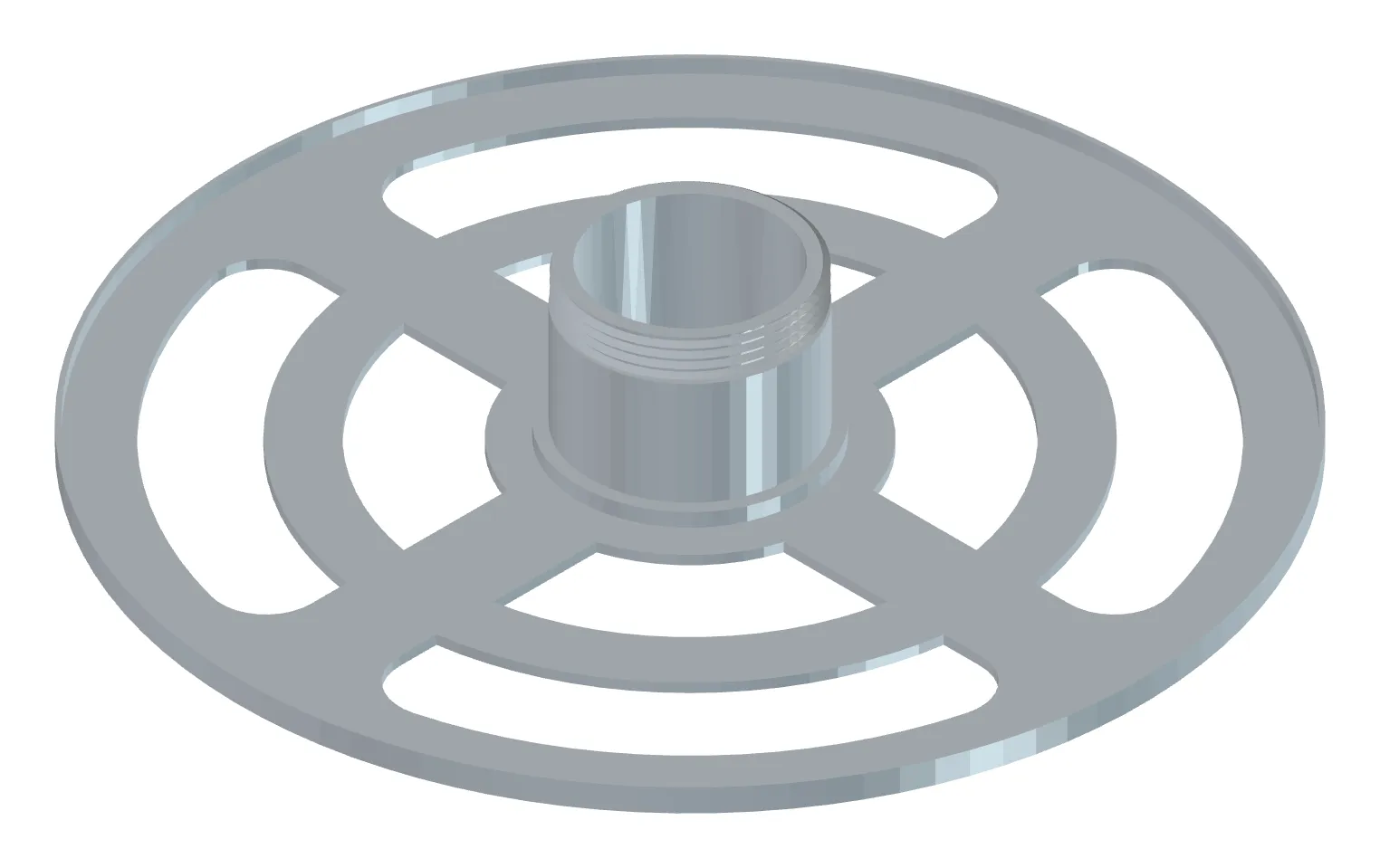
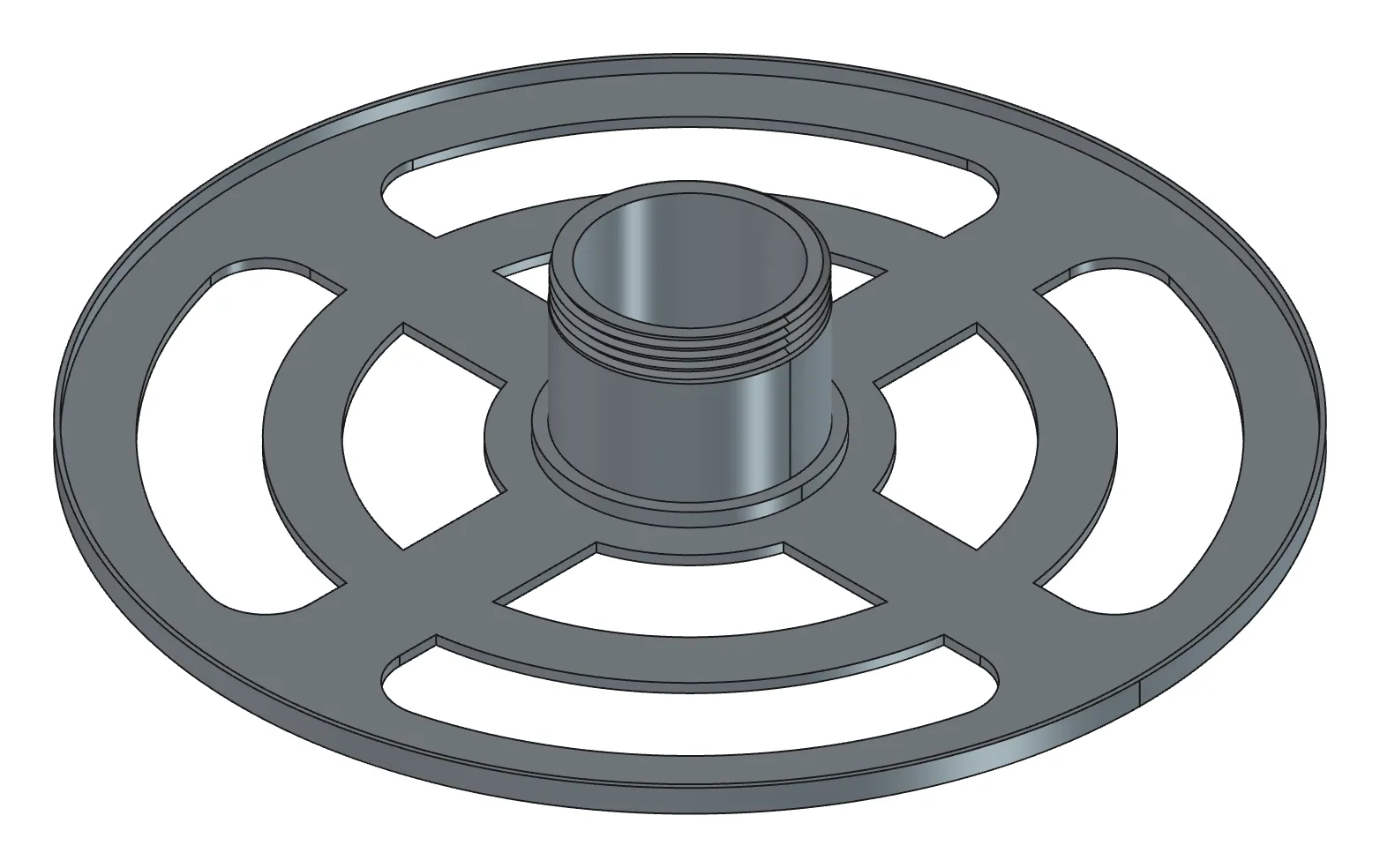
| File | Description | Size | |
|---|---|---|---|
| Original | 05-spool-guide.stl | STL | 288 KB |
| Finished | 05-spool_guide-done.FCStd | Reference mesh included | 327 KB |
| Finished | 05-SpoolGuide-done.step | STEP | 167 KB |
- Launch FreeCAD 1.1.3. You want
[CAD X-ray] 서버 시작in the Report view. - Put the STL at
C:\cad\05-spool-guide.stl. The original STL’s name had spaces, but the release asset is short, so use it exactly as downloaded. - In PowerShell, move to
C:\cadand openclaude. - The AI creates the document. Close any that are already open.
1. Bring the mesh in and get the analysis table first
Section titled “1. Bring the mesh in and get the analysis table first”Load C:\cad\05-spool-guide.stl into a new document stl_test as a reference mesh and analyse it: closed or not, self-intersections, size, main axis, band boundaries, section circles per band, the common centre, the thread (pitch, major, root, handedness), and any section segments that don't fit lines or circles. Values read and assumed, as a table.What the AI does — inserts the STL as a Mesh object at 70 % transparency without converting it. It checks closure (is_solid), non-manifold geometry and self-intersections plus bbox and volume, then finds the main axis (Z) and the band boundaries from planar patches and fits a least-squares circle to the section polyline at the mid-height of each band (within 0.01 mm of radius). When the angle of the maximum section radius rotates in proportion to z it judges it a thread (180° per 1 mm → pitch 2; in the original session this corrected an initial misreading of the feature as a cam lobe). The four arc slots and four windows are arcs plus lines rather than circles, so it detects corners in the z=1 section, fits arcs and lines per segment, and counts anything that does not fit as unsupported.
How to check — a semi-transparent mesh in the 3D view, and a table with five band boundaries, a thread pitch of 2 and unsupported 0. If is_solid is false, the AI warns you that the volume and deviation figures that follow cannot be trusted. If it says the axis is not Z, the STL was saved lying down: say “treat the axis as Z and redo it”, or ask for the Placement to be rotated.
2. Have it build the Body, thread included
Section titled “2. Have it build the Body, thread included”Build a Body SpoolGuide from those values, thread included. Every dimension in Params, verify each feature and stop if one fails.What the AI does — stacks four Pads and two Pockets band by band (plate → slot and window through-cuts → rim wall and hub ring → hub → thread cylinder), transferring the slot and window fit elements straight into sketches. Every circle is centred on the mesh’s common centre. For the thread it places the root section (a full pitch) on a plane through the axis and applies a helical cut. Because the helix starts at profile angle 0° and its first turn cuts nothing, it starts one pitch below (height = length + 2 pitches) and pads the z 25–28 ring wrongly cut into the hub back as PadRefill.
How to check — look in the 3D view at whether the mesh and the Body overlap. If the Body pokes outside the transparent mesh, or the mesh shows outside the Body, that band’s radius is wrong. Zoom into the thread cylinder and count four turns across the 8 mm length, and check there is no cut mark below the hub top face.
3. Verify by deviation and save
Section titled “3. Verify by deviation and save”Compare the reference mesh with SpoolGuide: volume difference, surface deviation (max, mean, p95) and where the worst deviation is. If it's a match, show me iso and save to C:\cad\spool_guide.FCStd.What the AI does — no booleans. It measures the distance from sample points on the Body’s faces along their normals to the mesh (deviation), and from the mesh vertices back to the Body (reverse deviation). The location of the worst deviation is exactly where you went wrong.
How to check — match is a success. A few large values at the thread start come from the helix start phase and are expected.
Checking your result
Section titled “Checking your result”| Criterion | Value |
|---|---|
| Features | 4 Pads + 2 Pockets + 1 thread + 1 refill Pad, all Valid |
| Sketch DoF | all 0 |
| Volume difference | 0.014 % |
| Surface deviation | all 2,863 vertices within 0.03 mm (0.003 mean), only 3 points at the thread start at 0.4–0.9 |
| Thread | male Ø44.5 × pitch 2 × length 8 |
When it doesn’t work
Section titled “When it doesn’t work”- is_solid is false — the mesh has holes. Get an STL closed by a slicer or a mesh repair tool. The volume and deviation figures cannot be trusted.
- FreeCAD froze — a boolean was run against a mesh converted to a solid. Wait for it or force-quit. When comparing, say explicitly “use the mesh by name”.
- A band radius is off against the mesh — the section circle fit value got rounded instead of used as-is. Ask again with “use the fit values exactly”.
- The thread ends up outside the cylinder, or runs the wrong way — a radius or z sign problem in the root section profile. Pin the coordinate system down: “the thread profile is radius 21.05–22.25 from the axis, and z is measured from the hub top face”.
- No thread is detected — the thread is too shallow or too short for the section to read as anything but a circle. Just state the pitch and major diameter yourself.
Going further
Section titled “Going further”- Change
Params.thread_pitchto 1.5 and recompute. See whether the helix height (length + 2 pitches) and the refill Pad follow. - Run a print review on this Body in PETG with a 0.4 nozzle (Exercise 8). See how the thin 1 mm rim wall is judged.
- Shrink the plate to Ø180 (
Params.plate_r) to fit a smaller printer bed.
| What runs behind the scenes | |
|---|---|
| Reading | import_mesh, analyze_mesh |
| Measuring | section_profile (mesh input, line/arc/circle fitting) |
| Building and verifying | build_features (wires, helix op), compare_shapes (mesh input, ray deviation) |
| Checking | get_screenshot, save_document |
Original session log: https://github.com/WaveSimm/cadxray/blob/master/examples/stl_spool_guide_with_m7.py